










































 (1)-20251204034946188.jpg)


































Welcome to OSCAL (Well-known China brand of rugged smartphone, tablet, and portable power station) blog. Hope this guide has been helpful.
Android has evolved into one of the most widely used operating systems in the world, powering billions of smartphones across different price ranges and performance levels. While many users are familiar with flagship Android devices that feature powerful processors and large amounts of memory, not everyone knows that there is a lighter version of Android specifically designed for entry-level smartphones. This streamlined edition is called Android Go (eg. Android 14 Go, Android 15 Go), and it plays an essential role in making smartphones accessible to more people around the globe.
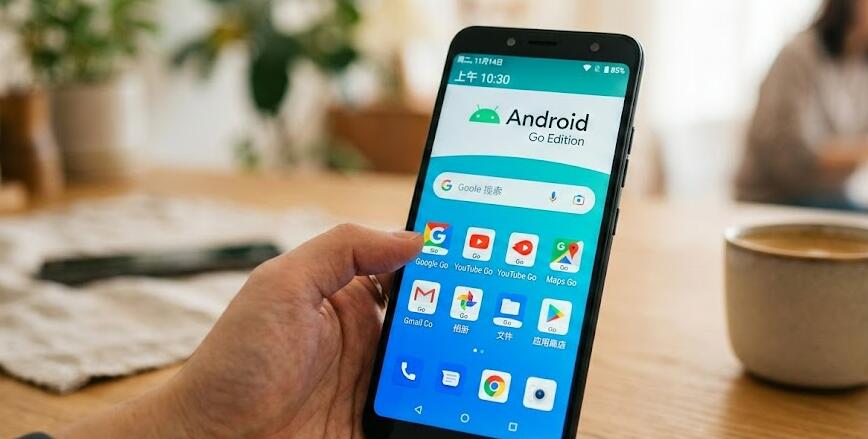
As smartphone adoption continues to grow in developing markets and among budget-conscious consumers, manufacturers face the challenge of delivering a smooth user experience on devices with limited hardware resources. Android Go addresses this challenge by optimizing the Android operating system for devices with lower RAM, smaller storage capacities, and modest processors. In this guide, we will explore what Android Go is, how it works, its key features, and who can benefit most from using it.
Understanding Android Go
Android Go, officially known as Android (Go edition), is a lightweight configuration of the Android operating system created by Google. It was first introduced in 2017 as part of the Android 8.0 Oreo release. The primary goal of Android Go is to provide a fast and efficient experience on smartphones with 2GB of RAM or less, though newer versions also support devices with slightly higher memory while maintaining optimization benefits.
Unlike the standard version of Android, Android Go is not a completely separate operating system. Instead, it is a specialized configuration that includes performance optimizations at the system level. These optimizations reduce background activity, improve memory management, and ensure that essential apps run smoothly even on limited hardware.
Key Features of Android Go
Android Go includes several distinctive features that differentiate it from the regular Android experience:
- Optimized System Performance: The operating system is tuned to use less RAM and storage, allowing apps to launch faster and run more efficiently.
- Smaller App Sizes: Pre-installed and recommended apps are designed to take up less space, leaving more storage available for users.
- Data Management Tools: Built-in data-saving features help users monitor and control mobile data usage.
- Google Go Apps: Special lightweight versions of popular Google apps are available, such as Google Go, YouTube Go (in certain regions), and Gmail Go.
- Security Updates: Android Go devices still benefit from Google Play Protect and regular security updates to help safeguard user data.
How Android Go Improves Performance
One of the main strengths of Android Go is its ability to improve performance on low-end hardware. It achieves this through system-level optimizations that reduce memory consumption and limit resource-heavy background processes. For example, background apps are managed more aggressively to prevent them from consuming valuable RAM.
In addition, Android Go devices often use “lite” versions of popular applications. These apps are designed to perform essential functions without unnecessary animations, large media files, or heavy background syncing. As a result, users experience faster loading times and smoother navigation compared to running full-scale apps on the same hardware.
Storage and Data Efficiency
Storage space is often limited on entry-level smartphones. Android Go addresses this issue by reducing the overall size of the operating system and encouraging the use of lightweight applications. The system itself takes up significantly less storage compared to standard Android builds, leaving more room for photos, videos, and third-party apps.
Data efficiency is another major benefit. Many Android Go apps include built-in data-saving modes. The operating system may also provide tools that show how much data each app uses, enabling users to set limits or restrict background data usage. This feature is particularly valuable in regions where mobile data can be expensive or limited.
User Experience and Interface
Although Android Go is optimized for lower-end devices, it still maintains the familiar Android look and feel. Users can access the Google Play Store, customize their home screens, use widgets, and receive notifications just as they would on a standard Android phone. The interface is simplified in some areas to improve speed and clarity, but it does not feel drastically different.
Google Assistant is also available on many Android Go devices, sometimes in a lighter version. This ensures that users can still benefit from voice commands, search features, and smart suggestions without overloading the system.
Who Should Use Android Go?
Android Go is ideal for several types of users:
- First-time smartphone users who need an affordable device.
- Students or budget-conscious individuals who prioritize essential features.
- Users in regions with limited internet connectivity or high data costs.
- People who primarily use their phones for messaging, social media, browsing, and light apps.
For power users who frequently multitask, play high-end games, or run demanding productivity applications, a standard Android device with higher specifications may be more suitable. (eg. For rugged smartphone lovers, here are some cheap rugged phones for multitasking and demanding productivity applications.) However, for everyday communication and basic tasks, Android Go provides a reliable and cost-effective solution.
Android Go vs. Standard Android
The main difference between Android Go and standard Android lies in optimization and target hardware. Standard Android is designed to scale across a wide range of devices, including high-performance smartphones with advanced features. Android Go, on the other hand, focuses specifically on delivering acceptable performance on entry-level hardware.
Despite these differences, Android Go still supports many core Android features, including app downloads from the Play Store, security protections, and regular updates. This ensures that users do not feel excluded from the broader Android ecosystem.
Conclusion
Android Go represents an important step in making smartphone technology more inclusive and accessible. By optimizing the operating system for devices with limited hardware capabilities, Google has created a platform that enables millions of users to access essential digital tools, communication apps, and online services without needing expensive hardware.
As technology continues to advance, affordability and accessibility remain crucial factors in global connectivity. Android Go demonstrates that a thoughtfully optimized operating system can deliver a satisfying user experience even on modest devices. For anyone seeking a reliable smartphone solution at a lower price point, Android Go stands as a practical and efficient option within the Android ecosystem.


