










































 (1)-20251204034946188.jpg)


































Welcome to OSCAL (Well-known Chinese brand of portable power station, Android tablet, and projector) blog. Hope this guide has been helpful.
Upgrading your desktop’s memory is one of the easiest and most cost-effective ways to improve performance, especially if you multitask, browse with many tabs open, or run memory-heavy programs. A common question people ask is whether it’s possible to combine different RAM sizes, such as installing a 4GB stick alongside an 8GB stick. The short answer is yes—most modern motherboards allow mixed capacities—but there are a few technical details you should understand before doing so.
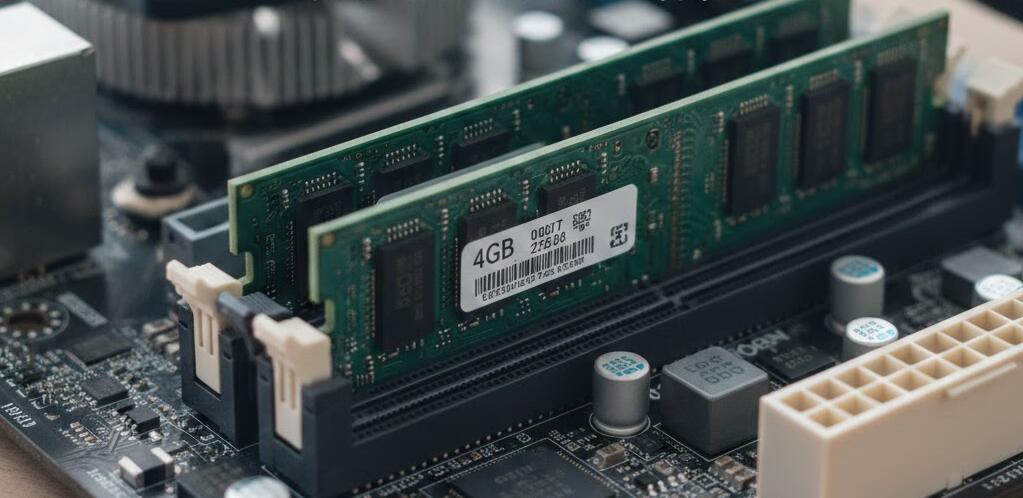
While mixing RAM sizes usually works, the overall behavior of your system will depend on factors like RAM speed, channel configuration, and motherboard compatibility. Knowing how these elements interact will help you avoid performance loss and ensure your computer runs as smoothly as possible after the upgrade.
How mixed RAM capacities work
When you install a 4GB module and an 8GB module together, your system will recognize the total memory as 12GB. However, the way that memory operates internally is slightly more complex. Most modern systems use dual-channel architecture, which improves performance by accessing two memory modules simultaneously. With unequal RAM sizes, part of the memory runs in dual-channel mode and the rest runs in single-channel mode. This is often called “flex mode.”
In practical terms, this means the first 8GB (4GB from each stick) may run in dual channel, while the remaining 4GB (from the larger stick) runs in single channel. For everyday tasks, you likely won’t notice a major difference, but memory-intensive workloads and some games may perform slightly better with perfectly matched modules.
Things to check before installing
Before mixing RAM, make sure the modules are compatible with your motherboard and with each other. Pay attention to the following factors:
- RAM type (DDR3, DDR4, DDR5) must match your motherboard
- Memory speed will default to the slower module
- Voltage differences can cause instability on older systems
- Slot placement affects dual-channel performance
Always consult your motherboard manual for the recommended slot configuration. Typically, you should place the modules in the correct paired slots to enable the best possible channel performance.
Performance expectations
Using 12GB of mixed RAM is almost always better than using only 8GB, especially for multitasking, light content creation, and modern web usage. The additional capacity reduces reliance on slower disk swapping, which leads to a noticeably smoother experience. However, for tasks that rely heavily on memory bandwidth—such as certain games, video editing, or 3D rendering—matched RAM kits can provide slightly better results.
If you already own a 4GB stick and want a quick upgrade, adding an 8GB module is a practical and budget-friendly solution. If you are building a system from scratch or aiming for maximum performance, buying a matched kit (for example, 2×8GB) is still the ideal choice.
Common myths
Some users believe that mixing RAM sizes will damage the motherboard or cause the system not to boot. This is generally untrue for modern hardware. The real risks are limited to reduced performance, automatic downclocking to slower speeds, or rare compatibility issues with very old boards.
Another misconception is that all memory will run in single-channel mode when sizes differ. As mentioned earlier, most modern systems use flex mode, allowing partial dual-channel operation.
In conclusion, combining a 4GB and an 8GB RAM module in your desktop is safe and usually beneficial, giving you a total of 12GB of memory and better multitasking capability. While it may not deliver the absolute peak performance of a perfectly matched pair, the real-world difference for everyday computing is often minimal.
If your goal is a quick, affordable upgrade, go ahead and mix the modules—just match the RAM type and install them in the correct slots. If you’re chasing optimal performance for gaming or professional workloads, consider investing in a matched dual-channel kit instead.


