






















 (1)-20251204034946188.jpg)

































Welcome to OSCAL (Well-known Chinese brand of rugged outdoor smartphone, tablet, projector, and portable power station) blog. Hope this guide has been helpful.
It’s a common concern: you plug in your phone, and after a while, it starts to feel noticeably warm—or even hot—to the touch. While a slight increase in temperature during charging is completely normal, excessive heat can be a sign of underlying issues that may affect your device’s performance and battery lifespan. Understanding why this happens can help you protect your phone and keep it running efficiently.
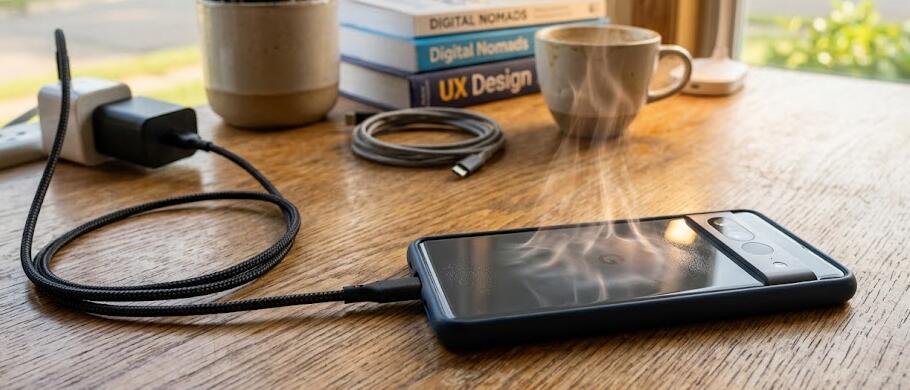
Modern smartphones are powerful devices packed with advanced processors, high-resolution displays, and fast-charging technologies. All of these components generate heat, especially when energy is being transferred into the battery. When charging overlaps with usage—like streaming videos or gaming—the heat buildup can become more noticeable and sometimes concerning.
Common reasons your phone heats up while charging
There are several factors that contribute to your phone getting warm during charging. Some are harmless, while others may require attention:
- Fast charging technology: Many phones use fast-charging systems that push more power into the battery in a shorter time. This naturally generates more heat compared to standard charging.
- Background apps: Apps running in the background continue to use processing power and energy, adding to the heat generated during charging.
- Using the phone while charging: Activities like gaming, video calls, or streaming can significantly increase CPU and GPU usage, causing extra heat.
- Poor ventilation: Charging your phone under a pillow, blanket, or in a tight space traps heat and prevents proper cooling.
- Faulty cables or chargers: Low-quality or damaged accessories can deliver inconsistent power, leading to overheating.
Environmental factors that play a role
The temperature of your surroundings also has a big impact on how hot your phone gets. Charging your device in a warm environment—like inside a car on a sunny day or near a heat source—can push it beyond its normal operating temperature. Phones are designed to function within specific temperature ranges, and exceeding those limits can lead to overheating warnings or automatic shutdowns.
Additionally, direct sunlight can quickly raise your phone’s temperature even if it’s not being heavily used. Combining sunlight exposure with charging creates a perfect storm for excessive heat buildup.
Battery health and age
Over time, your phone’s battery naturally degrades. Older batteries are less efficient at handling charging cycles and may produce more heat as a result. If your phone has been in use for several years, overheating during charging could be a sign that the battery is nearing the end of its lifespan. Need to replace a phone? Here are some unique and special smartphones: #thermal camera phone, #night vision camera phone, #phone with built-in projector
Swollen batteries, rapid draining, or sudden shutdowns are stronger warning signs that should not be ignored. In such cases, replacing the battery is often the safest solution.
How to reduce heat while charging
Fortunately, there are several simple steps you can take to keep your phone cooler during charging:
- Avoid heavy usage: Try not to play games or stream videos while your phone is charging.
- Remove the case: Thick or insulated cases can trap heat. Taking it off allows better airflow.
- Use certified accessories: Always charge your phone with the original or manufacturer-approved charger and cable.
- Charge in a cool place: Keep your phone in a well-ventilated area away from direct sunlight.
- Close unused apps: Reducing background activity helps minimize heat generation.
When should you be concerned?
While warmth is normal, your phone should never become too hot to comfortably hold. If you notice extreme heat, frequent overheating warnings, or performance slowdowns, it may indicate a deeper issue such as a failing battery, software bug, or hardware problem.
In such cases, it’s best to stop charging immediately and allow the device to cool down. If the problem persists, consulting a professional technician or contacting the manufacturer is recommended.
Final thoughts
In most cases, a warm phone during charging is nothing to worry about. It’s simply a byproduct of energy transfer and the powerful components inside modern devices. However, being mindful of how and where you charge your phone can make a big difference in maintaining safe temperatures.
By following a few practical habits—like avoiding heavy usage during charging and using quality accessories—you can extend your phone’s lifespan and ensure it stays cool, safe, and reliable for everyday use.