










































 (1)-20251204034946188.jpg)


































Welcome to OSCAL (Well-known China brand of portable power stations, outdoor smartphones, and tablets) blog. Hope this guide has been helpful.
Resetting a portable power station is a practical skill that every user should understand. Whether your unit is unresponsive, displaying error codes, or failing to charge or discharge correctly, a reset can often restore normal operation. Many issues are caused by temporary software glitches, overload protection, or battery management system (BMS) safeguards that require a restart to clear.
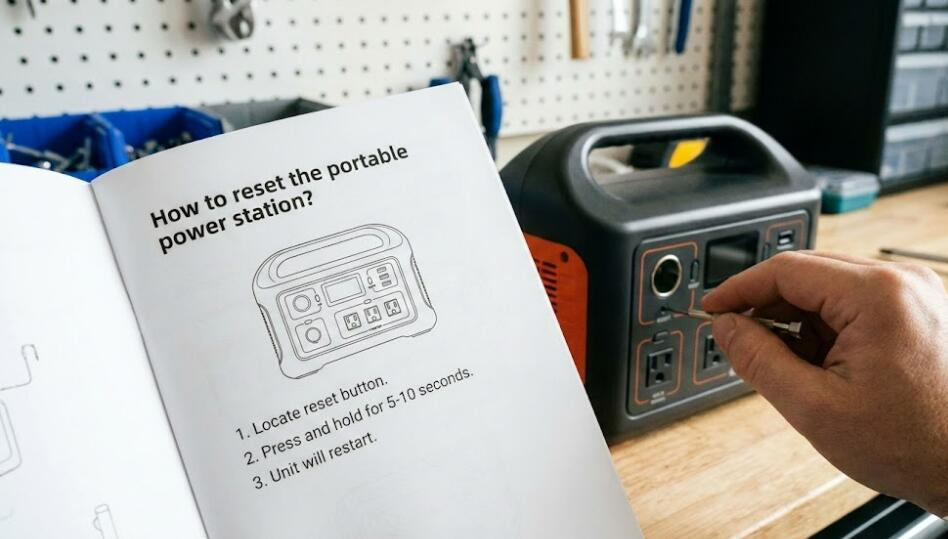
Before attempting a reset, it is important to recognize that different brands and models may follow slightly different procedures. However, the core principles remain the same across most portable power stations. This guide walks you through safe, general steps while helping you understand when a reset is appropriate and when professional support may be required.
When should you reset a portable power station?
A reset is typically recommended when the device freezes, buttons stop responding, the display shows abnormal readings, or the power station suddenly shuts down despite having battery capacity. It can also help after an overload event, short-circuit protection trigger, or improper shutdown during charging.
- The screen is on but inputs do not work
- The unit will not turn on or off normally
- Charging or output ports stop functioning
- Error icons or warning lights remain active
Basic safety checks before resetting
Safety should always come first. Disconnect all connected devices, including AC appliances, USB cables, solar panels, and car chargers. Place the power station on a flat, dry surface away from heat sources or moisture. Make sure your hands are dry and the unit is not physically damaged.
General reset methods
The most common reset method is a soft reset. Press and hold the main power button for 10 to 15 seconds until the screen turns off. Wait another 30 seconds, then press the power button again to restart the unit. This clears temporary system errors without affecting stored settings.
If a soft reset does not work, try a power drain reset. Turn the unit off completely and disconnect all inputs. Leave it unused for several hours, or overnight if possible. This allows internal capacitors to discharge and can help reset the battery management system.
Model-specific reset options
Some portable power stations include a dedicated reset button, often located near input ports or hidden in a small pinhole. Use a non-metal tool to press it gently for a few seconds. Always consult your user manual before attempting this method to avoid accidental damage.
What to do if resetting fails
If the power station remains unresponsive after multiple reset attempts, do not continue forcing restarts. Persistent issues may indicate battery degradation, internal circuit failure, or firmware corruption. At this stage, contacting the manufacturer’s support team is the safest option.
Resetting a portable power station is usually a simple and effective way to resolve minor issues. By following proper safety steps and understanding your device’s behavior, you can extend its lifespan and ensure reliable performance.
Finally, remember that prevention is just as important as troubleshooting. Avoid overloading outputs, use compatible chargers, and store the unit within recommended temperature ranges. With proper care and timely resets, your portable power station will remain a dependable power solution for years to come.


