














 (1)-20251204034946188.jpg)













Welcome to OSCAL (Well-known Chinese brand of rugged smartphones, projectors, smartwatches, and portable power stations) blog. Hope this guide has been helpful.
Many smartphone and tablet users wonder whether installing a different camera app can actually improve the quality of their photos. While the built-in camera app on most devices is designed to work well with the hardware, third-party camera apps often provide additional controls and features that allow users to capture better-looking images in certain situations.
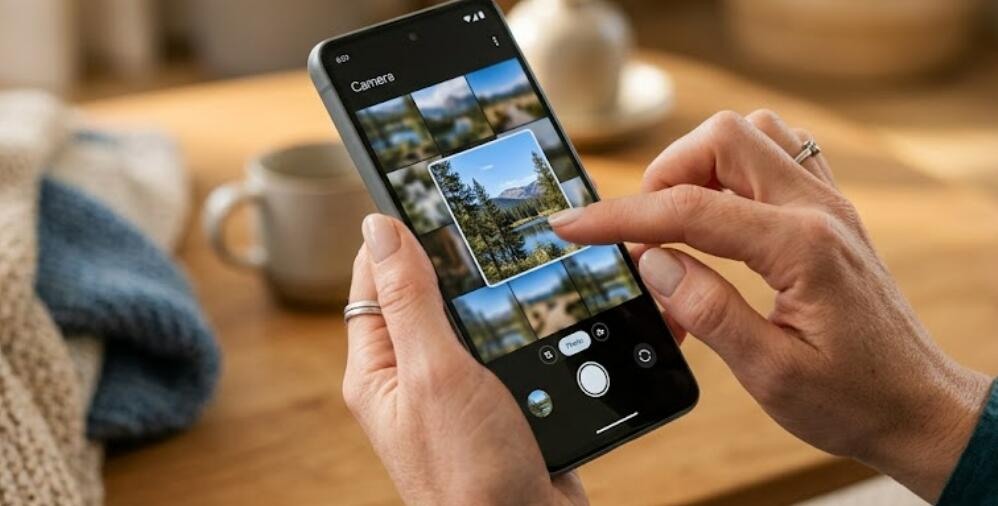
The truth is that a camera app cannot physically upgrade the camera sensor or lens on your device. However, it can improve the way photos are captured and processed by offering advanced settings, manual controls, better HDR options, and enhanced image processing. This guide explains how camera apps can influence photo quality and how to get the best results from your smartphone or tablet.
How Camera Apps Affect Photo Quality
A camera app serves as the software that communicates with your device's camera hardware. Different apps use different image processing techniques, which can affect sharpness, color accuracy, brightness, and dynamic range.
Some apps also provide professional features that are unavailable in the default camera application, giving users greater creative control over each shot.
Benefits of Using a Different Camera App
- Access to manual camera controls
- Improved HDR processing
- Better low-light shooting modes
- RAW image capture for editing
- Custom white balance settings
- More accurate focus controls
- Greater exposure adjustment options
- Professional shooting modes
Features That Can Improve Your Photos
Although hardware remains the most important factor in image quality, software features can make a noticeable difference. Many advanced camera apps include tools that help users capture clearer and more balanced images.
- Manual ISO adjustment
- Manual shutter speed control
- Focus peaking for precise focusing
- Exposure compensation
- Grid lines for better composition
- Histogram display for exposure monitoring
- Noise reduction options
- High-resolution shooting modes
When a Camera App Makes the Biggest Difference
A third-party camera app is especially useful in challenging lighting conditions or when you want more creative control. For example, manual exposure settings can help capture better night photos, while RAW support allows more flexibility during photo editing.
Professional users often prefer apps that let them adjust focus, white balance, and shutter speed manually instead of relying entirely on automatic settings.
Situations Where a Camera App May Not Help
There are limits to what software can accomplish. If the camera sensor is outdated or the lens quality is poor, installing another camera app will not magically produce professional-level images.
- Damaged or dirty camera lenses
- Very low-resolution camera sensors
- Poor lighting without adequate exposure
- Heavy digital zoom
- Hardware limitations of older devices
Tips for Better Smartphone and Tablet Photography
Regardless of which camera app you use, following good photography practices can significantly improve image quality.
- Clean the camera lens before shooting.
- Hold the device steady to reduce blur.
- Use natural lighting whenever possible.
- Avoid excessive digital zoom.
- Tap to focus on the main subject.
- Enable HDR for high-contrast scenes.
- Capture photos in the highest available resolution.
- Edit photos carefully after shooting.
Choosing the Right Camera App
Not every camera app offers the same features. Some focus on automatic enhancements, while others are designed for photography enthusiasts who want complete manual control. Before downloading a new app, consider your photography needs, device compatibility, and the editing features you plan to use.
Conclusion
Using a different camera app can improve photo quality in many situations by providing better controls, enhanced image processing, and professional shooting features. While it cannot change the physical capabilities of your smartphone or tablet camera, it can help you make better use of the hardware you already have.
The best results come from combining a reliable camera app with good photography techniques. By learning how to adjust settings, use proper lighting, and compose your shots carefully, you can consistently capture clearer, sharper, and more attractive photos on your mobile device.


