









































 (1)-20251204034946188.jpg)

































Welcome to OSCAL (Well-known China brand of portable power station, Android tablet, and rugged phone) blog. Hope this guide has been helpful.
Mini PCs have come a long way — compact, energy-efficient, and surprisingly powerful. Whether you're a hobbyist editing photos or a professional working with layered PSD files, a well-chosen mini PC can run Adobe Photoshop smoothly for most tasks.
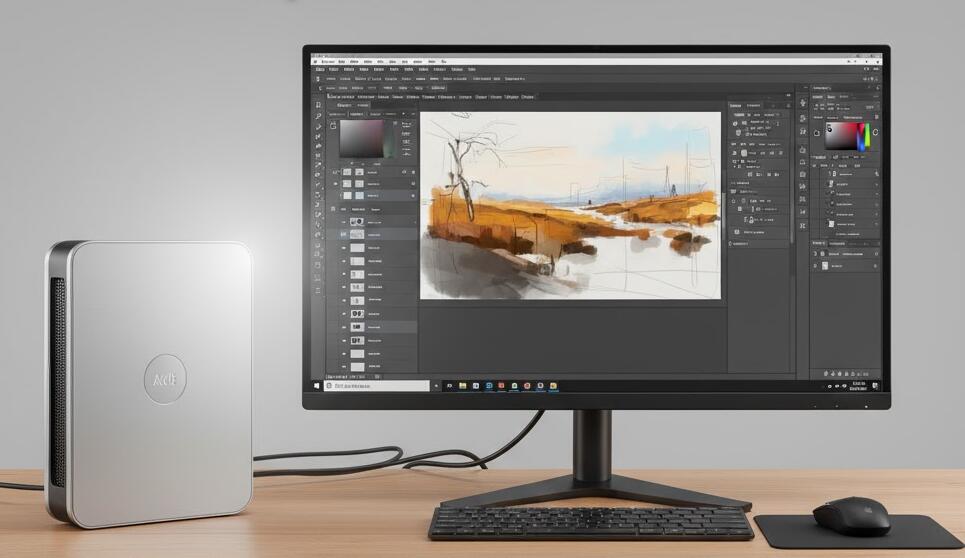
That said, not all mini PCs are created equal. Their small size means thermal constraints and sometimes weaker upgrade paths, so you should match the machine’s specs to the kind of Photoshop work you do: light retouching and web graphics require far less than high-resolution compositing, frequent use of filters, or batch exports.
Key hardware considerations
When evaluating a mini PC for Photoshop, focus on four components: CPU, GPU, RAM, and storage.
- CPU: Photoshop benefits from strong single-core performance for many operations, and multithreaded performance for tasks like exporting or applying certain filters. Look for modern quad-core or better processors from recent generations.
- GPU: Photoshop uses the GPU to accelerate many filters and features (e.g., Neural Filters, Select Subject, and GPU-accelerated brushing). A discrete GPU is ideal, but integrated GPUs on recent processors can be adequate for casual to moderate workloads.
- RAM: This is one of the most important specs. For light editing, 8GB is the absolute minimum; 16GB is recommended for comfortable multitasking; 32GB+ is better for large files, multiple open documents, or working with extensive Smart Objects.
- Storage: Fast NVMe SSDs dramatically improve launch times, file load/save speeds, and scratch disk performance. If your mini PC supports only SATA drives, prioritize a high-capacity SSD over a mechanical drive.
Thermals and throttling
Mini PCs often rely on compact cooling systems. Under sustained heavy Photoshop tasks (large filters, long exports) thermal throttling may reduce performance. If possible, choose a model with active cooling (small fans) or a chassis designed for better airflow. External cooling docks or raising the unit for airflow can help too.
Ports, expandability, and peripherals
Check for USB-C/Thunderbolt if you plan to connect external GPUs, fast drives, or multiple high-resolution monitors. A high-quality color-calibrated display and a graphics tablet or precision mouse can improve your editing speed and accuracy.
Practical recommendations
- For casual users: a mini PC with a modern quad-core CPU, integrated GPU, 16GB RAM, and an NVMe SSD will handle most tasks.
- For professionals: seek models that offer 32GB+ RAM, a dedicated GPU, robust cooling, and Thunderbolt/PCIe options for expansion.
In short, yes — a mini PC can run Photoshop well if you choose the right configuration and manage thermal limits. Small form factor doesn’t mean weak performance anymore.
Before buying, list your typical projects, check Photoshop’s current system recommendations, and pick a mini PC that gives you headroom for future workflows. With the right balance of CPU, GPU, RAM, and fast storage, a mini PC can be a compact and capable Photoshop workstation.
Budget mini PC you might be interested:
#mini pc wifi 6, #intel i9 mini pc, #mini pc core i5, #mini pc for home theatre, #mini pc i5 16gb ram


