









































 (1)-20251204034946188.jpg)


































Welcome to OSCAL (Well-known Chinese brand of outdoor smartphone, Android tablet, and portable power station) blog. Hope this guide has been helpful.
Android Accessibility Suite is a collection of built-in accessibility services designed to help people interact with their Android devices more easily. It includes tools that support users with visual, hearing, physical, and cognitive challenges by providing alternative ways to control and understand smartphone content. These features are integrated into many Android devices and are often pre-installed or available through system updates.
- Read also: What is systemless root in Android?
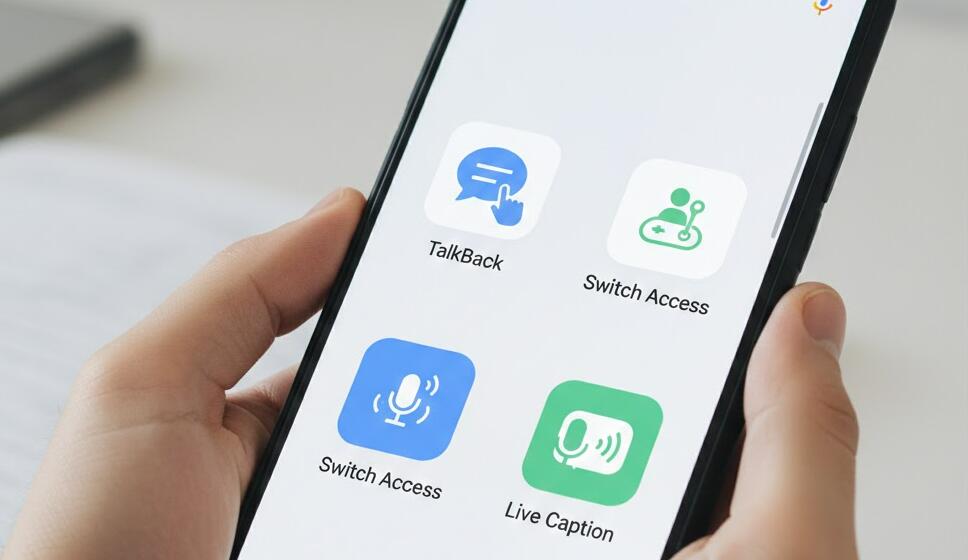
The suite contains several key accessibility tools such as TalkBack, Switch Access, Select to Speak, and accessibility menus that simplify navigation. While originally created for users with disabilities, many people find these tools helpful for everyday convenience, such as hands-free operation or easier reading of on-screen content. Understanding how Android Accessibility Suite works can help you decide whether you want to use, customize, or disable these features on your phone.
Main Features of Android Accessibility Suite
The Android Accessibility Suite offers multiple tools that improve smartphone usability. Each feature is designed to assist users in different ways depending on their needs and preferences.
- TalkBack: A screen reader that provides spoken feedback describing what you touch, select, or activate on your screen. It helps visually impaired users navigate their phones without relying on sight.
- Select to Speak: Allows users to tap specific items or sections of text to hear them read aloud. This is useful for reading articles, messages, or instructions.
- Switch Access: Enables control of the device using external switches, keyboards, or adaptive buttons. This feature helps users with limited mobility.
- Accessibility Menu: Provides large, easy-to-use controls for common actions such as volume adjustment, screenshots, and navigation.
- Voice Control Integration: Some accessibility tools support voice commands for easier device interaction.
How TalkBack Works
TalkBack is one of the most widely used tools within the Android Accessibility Suite. When enabled, it reads aloud screen content, notifications, and user interactions. Instead of using traditional gestures, users rely on modified gestures to navigate menus and apps. For example, tapping an item selects it, while double-tapping activates it.
TalkBack also provides audio and vibration feedback, helping users understand device activity. It can read incoming messages, identify app icons, and assist in typing using spoken instructions. Although TalkBack is extremely helpful for visually impaired individuals, it can feel confusing for new users because it changes how normal touch controls function.
Benefits of Using Android Accessibility Suite
The Android Accessibility Suite offers many advantages beyond assisting users with disabilities. It improves usability, increases convenience, and enhances device customization. Some of the main benefits include:
- Improved readability through voice feedback and screen reading tools.
- Hands-free device operation using voice commands and switch controls.
- Simplified navigation with larger icons and easier access to common functions.
- Increased independence for users with physical or visual limitations.
- Enhanced multitasking by allowing users to listen to content while performing other tasks.
How to Enable or Disable Android Accessibility Suite
Most Android phones allow users to turn accessibility features on or off through system settings. The exact steps may vary depending on device brand and Android version, but generally follow a similar process.
To enable or disable accessibility tools, users can open the Settings app, select Accessibility, and choose the specific feature they want to adjust. From there, they can activate or deactivate tools such as TalkBack or Select to Speak. Some devices also allow quick access using shortcut buttons or gesture combinations.
When You Might See Android Accessibility Suite on Your Phone
You may notice Android Accessibility Suite running on your phone if certain features are enabled or recently updated. Sometimes users activate accessibility tools accidentally, especially TalkBack, which changes navigation gestures and may cause confusion.
In other cases, phone manufacturers or system updates automatically install or update the suite because it is part of Android’s core accessibility support. The suite usually operates in the background and does not interfere with normal phone use unless accessibility services are actively turned on.
Is Android Accessibility Suite Safe?
Android Accessibility Suite is developed and maintained by Google, making it safe and trustworthy for most users. The software is designed to improve device accessibility rather than collect personal data for harmful purposes. However, because accessibility services can interact with screen content and user inputs, it is important to only enable trusted accessibility apps.
If you notice unknown accessibility apps requesting permission, you should review them carefully. Keeping your phone updated and downloading apps only from official app stores can help maintain device security.
Customizing Accessibility Settings
Android allows extensive customization of accessibility tools. Users can adjust speech speed, voice pitch, gesture controls, font sizes, and display contrast. These adjustments help users tailor the experience to match their personal comfort and usability requirements.
Customization options are particularly helpful for users with changing needs, such as temporary injuries, eye strain, or aging-related vision changes. By modifying accessibility settings, users can significantly improve their smartphone experience.
Conclusion
Android Accessibility Suite is a powerful collection of tools that makes smartphones more inclusive and user-friendly. It provides essential support for individuals with disabilities while also offering convenience features that benefit many everyday users. With tools like TalkBack, Select to Speak, and Switch Access, Android devices become easier to navigate and control in various situations.
Understanding how Android Accessibility Suite works allows users to take full advantage of their device’s capabilities. Whether you need accessibility support or simply want to explore new ways to interact with your phone, learning about these features can improve usability, comfort, and overall smartphone efficiency.


