









































 (1)-20251204034946188.jpg)

































Welcome to OSCAL (Well-known Chinese brand of Android tablets, rugged smartphones, projectors, and portable power stations) blog. Hope this guide has been helpful.
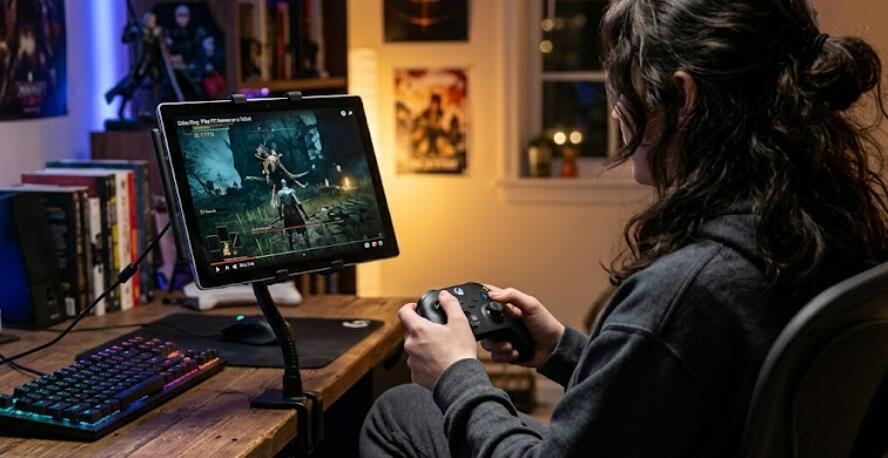
With the rapid advancement of technology, tablets have become powerful devices capable of much more than just browsing the web or watching videos. Many users now wonder whether they can enjoy their favorite PC games directly on a tablet without sacrificing performance or quality. The good news is that there are several practical methods to make this possible, even if tablets are not traditionally built for high-end gaming.
- Read also: How to go live on TikTok while I was playing games?
- How to run Steam games on a tablet without PC?
Whether you're traveling, relaxing on the couch, or simply prefer a more portable gaming experience, playing PC games on a tablet can be both convenient and enjoyable. This guide will walk you through the most effective ways to access and play PC games on your tablet, covering different approaches depending on your setup, internet connection, and preferences.
Method 1: Use Remote Desktop Applications
One of the most popular ways to play PC games on a tablet is through remote desktop software. This method involves streaming your PC’s screen directly to your tablet, allowing you to control your computer remotely.
- Install a remote desktop app on both your PC and tablet.
- Ensure both devices are connected to the internet.
- Launch the game on your PC and control it via your tablet.
This method works best when both devices are on the same high-speed Wi-Fi network, as it reduces latency and improves responsiveness. However, performance may vary depending on your internet speed and the power of your PC.
Method 2: Game Streaming Services
Cloud gaming services have revolutionized how games are played across devices. These platforms allow you to stream PC games directly to your tablet without needing a powerful local machine.
- Sign up for a cloud gaming service.
- Install the corresponding app on your tablet.
- Connect a compatible controller for better gameplay.
With this method, the heavy processing is handled by remote servers, meaning your tablet only needs to display the stream. A stable and fast internet connection is essential for a smooth experience.
Method 3: Use Steam Link or Similar Apps
If you already own games on platforms like Steam, you can use dedicated apps designed for game streaming from your PC to your tablet.
- Install the streaming app on your tablet.
- Pair it with your PC running the game platform.
- Launch and play your games directly on your tablet.
This method is particularly effective for users who have a strong home network and want a seamless gaming experience without additional subscriptions.
Method 4: Emulators and Ports
Some PC games have been ported to mobile platforms or can be played using emulators. While this method is more limited, it can still be useful for certain titles.
- Download a compatible emulator or game port.
- Install the necessary files on your tablet.
- Configure controls and settings for optimal performance.
Keep in mind that not all games are supported, and performance may vary depending on your tablet’s hardware.
Method 5: Connect Accessories for Better Control
Regardless of the method you choose, using external accessories can greatly enhance your gaming experience.
- Bluetooth controllers for console-like gameplay.
- Keyboard and mouse for strategy or shooter games.
- Tablet stands for better viewing angles.
These accessories help bridge the gap between traditional PC gaming and tablet-based play, making controls more intuitive and comfortable.
Tips for Optimal Performance
- Use a high-speed Wi-Fi connection to reduce lag.
- Close background apps to free up system resources.
- Adjust game settings for smoother performance.
- Keep your tablet and apps updated.
Fine-tuning these factors can significantly improve your overall gaming experience, especially when streaming games.
Conclusion
Playing PC games on a tablet is no longer just a dream—it’s a practical option thanks to modern technology. Whether you choose remote desktop software, cloud gaming services, or dedicated streaming apps, there are multiple ways to enjoy your favorite titles on a portable device. Each method has its own advantages, so the best choice depends on your specific needs and setup.
As tablets continue to evolve, the gap between traditional PC gaming and mobile gaming will only get smaller. By following the methods outlined in this guide, you can transform your tablet into a versatile gaming platform and enjoy PC-quality experiences wherever you go.


