






















 (1)-20251204034946188.jpg)

































Welcome to OSCAL (Well-known Chinese brand of Android tablet, rugged phone, projector, and portable power station) blog. Hope this guide has been helpful.
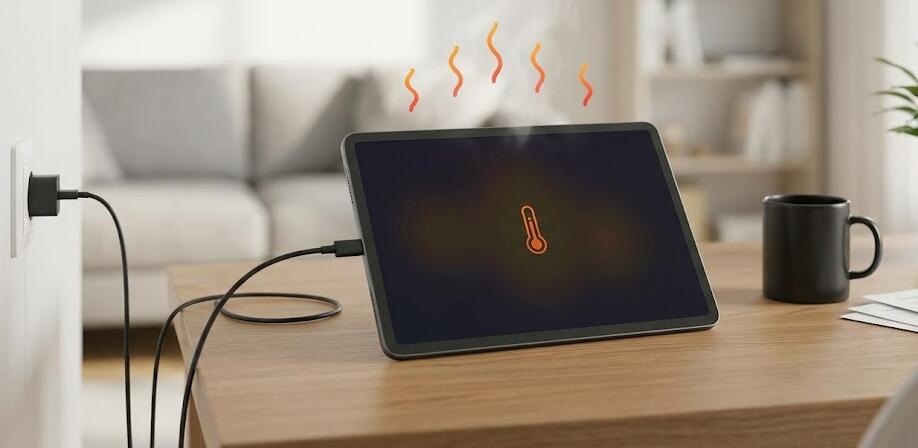
It’s a common concern: you plug in your tablet to charge, and after a while, it starts to feel unusually warm or even hot. While a slight increase in temperature is normal during charging, excessive heat can be alarming and may indicate underlying issues. Understanding why this happens can help you protect your device and extend its lifespan.
- Read also: How to fix a tablet that is not charging?
- My Android tablet is charging very slowly, how to fix it?
Modern tablets are designed with compact components and powerful batteries, which naturally generate heat when energy flows in and out. However, when heat builds up beyond expected levels, it can affect performance, battery health, and even safety. Let’s explore the main causes and what you can do about them.
Normal Heat Generation During Charging
When you charge your tablet, electrical energy is converted into chemical energy inside the battery. This process isn’t perfectly efficient, so some energy is lost as heat. Additionally, internal components like the processor and charging circuits also produce heat. If your tablet feels slightly warm, especially during fast charging, this is typically normal.
Using the Tablet While Charging
One of the most common reasons for overheating is using the tablet while it charges. Activities such as gaming, streaming videos, or running multiple apps force the processor and graphics unit to work harder. At the same time, the battery is receiving power, creating a double load that significantly increases heat output.
- High-performance apps consume more power
- Screen brightness adds to heat generation
- Background apps continue running unnoticed
Poor Ventilation and Environment
Your surroundings play a big role in how hot your tablet gets. Charging your device on soft surfaces like beds, cushions, or blankets can trap heat. Tablets rely on passive cooling, meaning they dissipate heat through their surface. Blocking airflow prevents heat from escaping efficiently.
Similarly, charging in a hot environment—such as direct sunlight or a warm room—can raise the baseline temperature, making overheating more likely.
Faulty or Incompatible Chargers
Using low-quality or incompatible chargers can lead to inefficient power delivery. Cheap or damaged charging cables may not regulate voltage properly, causing excess heat in both the charger and the tablet. Always use certified accessories recommended by the manufacturer.
Battery Health and Aging
Over time, tablet batteries degrade. An older battery may struggle to handle charging efficiently, leading to increased resistance and heat generation. If your tablet is several years old and heats up more than it used to, battery wear could be a key factor.
Software Issues and Background Processes
Sometimes, the problem isn’t hardware but software. Apps running in the background can consume CPU power even when you’re not actively using them. Software bugs or outdated operating systems may also cause abnormal power usage, which increases heat during charging.
- Unoptimized apps draining power
- System updates running in the background
- Malware or problematic software
Related guide: How to close background apps in Android?
Fast Charging Technology
Many modern tablets support fast charging, which pushes more power into the battery in a shorter time. While convenient, this process generates more heat compared to standard charging. Manufacturers design devices to handle this safely, but it can still make your tablet feel hotter than usual.
Protective Cases and Accessories
Thick or poorly ventilated cases can trap heat during charging. While cases protect your device from physical damage, they may prevent proper heat dissipation. Removing the case while charging can sometimes help reduce temperature buildup.
How to Prevent Overheating
There are several simple steps you can take to keep your tablet cool while charging:
- Avoid heavy usage during charging
- Place the tablet on a hard, flat surface
- Keep it away from direct sunlight
- Use original or certified chargers
- Close unnecessary apps
- Remove thick protective cases temporarily
Conclusion
While it’s normal for your tablet to warm up during charging, excessive heat shouldn’t be ignored. It often results from a combination of usage habits, environmental factors, and hardware conditions. By identifying the cause, you can take practical steps to minimize the risk and maintain your device’s performance.
Taking care of your tablet not only improves safety but also extends battery life and overall usability. With mindful charging habits and proper maintenance, you can keep your device running efficiently without worrying about overheating issues.