









































 (1)-20251204034946188.jpg)

































Welcome to OSCAL (Well-known China brand of rugged smartphone, tablet, and portable power station) blog. Hope this guide has been helpful.
Finding the perfect video body editor app can be overwhelming, especially when you want high quality results without spending a dime. Whether you're a content creator, fitness enthusiast, or just someone who loves making polished videos, the right tools make all the difference. In this guide, we’ll explore six of the best free video body editor apps that are available for Android devices and also support iOS where possible.
- Read also: The 8 Best TikTok Editing Apps
- The 5 best free palm reading scanner apps for Android
- The 9 most popular Instagram filters
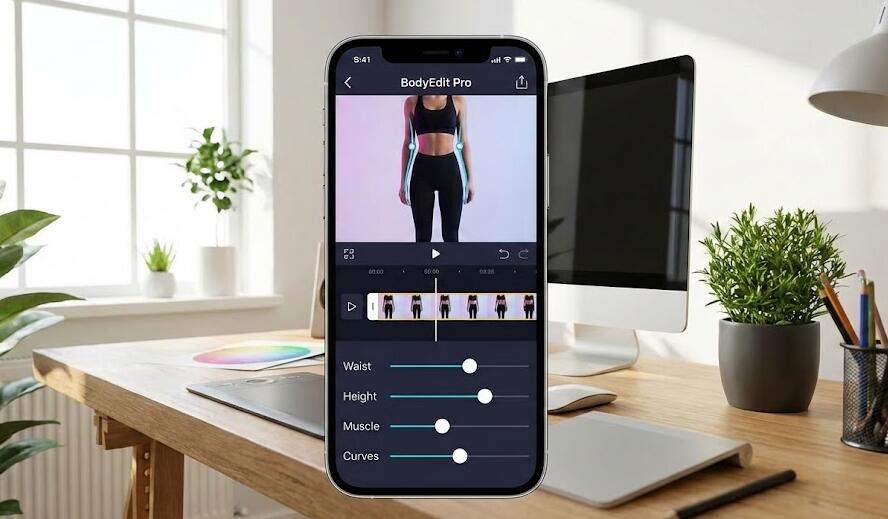
With the rise of social media platforms like TikTok, Instagram, and YouTube Shorts, video editing has become more than a hobby — it’s a way to express creativity and connect with an audience. Advanced video body editing features, such as reshaping, motion tracking, background adjustments, and AI-powered effects, are no longer confined to expensive desktop applications. Many mobile apps now bring powerful capabilities right to your fingertips.
Before diving into our curated list of apps, it’s important to understand what makes a great video body editor. You want intuitive interfaces, useful features such as body reshaping and motion effects, and output quality that doesn’t water down your efforts. We’ll break down key features, compatibility, pros, cons, and use cases for each app so that you can confidently choose which one fits your needs.
1. CapCut
CapCut is a powerful and versatile video editing app that’s free to use and available on both Android and iOS. Developed by the makers of TikTok, CapCut offers an intuitive interface combined with advanced editing tools that make trimming, merging, and adding effects a breeze. What sets CapCut apart for body editing is its AI tools, motion tracking, and precise keyframe control — features that are especially useful for creators aiming to refine how their subjects move and appear in videos.
- Platforms: Android, iOS
- Body Editing Features: Motion tracking, keyframes, speed adjustment, AI effects
- Best For: Social media creators, beginners, intermediate editors
Key Features: CapCut’s motion tracking allows you to attach text or elements to a moving subject. Its keyframe feature gives precise control over scaling and positioning, which can subtly enhance how your subject appears over time. AI-powered filters and effects can also help smooth skin tones or adjust visual aesthetics to improve overall video quality.
Pros: Easy to use, rich feature set, high-quality export. Cons: Some advanced features may feel overwhelming at first.
2. InShot
InShot is a widely popular video editor that supports Android and iOS and is known for its simplicity and effective editing tools. While InShot doesn’t offer dedicated “body reshaping” tools in the traditional sense, it includes powerful effects, filters, and adjustment tools that help enhance body-focused videos. You can crop, adjust saturation, apply motion blur, and add stickers or transitions to highlight specific movements or features in your video.
- Platforms: Android, iOS
- Body Editing Features: Filters, effects, speed control, zoom
- Best For: Beginner to casual editors, social media videos
Key Features: InShot’s strength lies in its balanced mix of ease of use and depth. You can trim clips, adjust layout and background, and apply trendy filters that update the look and feel of your videos. While it doesn’t let you directly alter body shapes, the editing tools support stylistic enhancements that emphasize or subtly de-emphasize body movement.
Pros: Simple interface, robust exporting options, versatile. Cons: Lacks advanced body-specific tools.
3. VN Video Editor
VN Video Editor is a free and powerful video editing tool that works on both Android and iOS. While it’s traditionally known for broad editing capabilities like multi-layer timeline editing and advanced transitions, VN also supports subtle body-focused adjustments through creative editing techniques. For example, you can use keyframes and speed curves to emphasize or de-emphasize movement, as well as color grading tools to enhance visual focus on your subject.
- Platforms: Android, iOS
- Body Editing Features: Keyframes, speed curve, filters
- Best For: Intermediate creatives and storytellers
Key Features: VN Video Editor gives you pro-level controls without a price tag. Its multi-layer timeline allows precise positioning, while speed and keyframe features help you create dynamic movement effects. Color tools help refine focus on your subject’s body or motion, making it ideal for fashion videos, dance clips, and more.
Pros: Professional-grade tools, robust controls. Cons: Can have a steeper learning curve than other apps.
4. YouCam Video
YouCam Video is a standout choice if your priority is body and face editing. Available for Android and iOS, YouCam Video specializes in AI-powered editing features that let you smooth skin, adjust body proportions, enhance facial features, and more. This app is especially useful for fitness influencers, vloggers, and anyone who wants their video subjects to look their best with minimal effort.
- Platforms: Android, iOS
- Body Editing Features: Body reshaping, skin smoothing, facial enhancement
- Best For: Creators focused on appearance-based edits
Key Features: YouCam Video’s AI tools help you fine-tune how people look in videos, from slimming body contours to smoothing skin textures. The app also includes background editing, music addition, and scene adjustments that make it a comprehensive video editor.
Pros: Dedicated body and face editing, user-friendly. Cons: Some features may require optional in-app purchases.
5. Funimate
Funimate is another Android and iOS-friendly app that’s ideal for creators looking to apply fun and creative effects to body movement in videos. While Funimate’s core focus is on animated effects and transitions, its intuitive interface and unique feature set make it a great choice for those who want to add personality and flair to fitness clips, dancing videos, or performance footage.
- Platforms: Android, iOS
- Body Editing Features: Motion effects, animation presets, transition effects
- Best For: Fun and creative edits
Key Features: Funimate’s strength lies in its creative toolkit that includes animated stickers, custom effects, and motion transitions. While not technically a traditional body editor, the app lets you highlight or exaggerate movement in fun ways, which can be especially useful for short-form social content.
Pros: Unique effects library, social-sharing friendly. Cons: Limited traditional editing tools.
6. VideoShow
VideoShow is a well-rounded video editor available on Android and iOS that supports body-themed editing through its flexible features. Its strength lies in its collection of filters, transition effects, and creative editing tools that help enhance movement and storytelling. The app doesn’t specifically focus on body reshaping, but it’s a solid choice for creators who want a robust free editor with enough creative flexibility.
- Platforms: Android, iOS
- Body Editing Features: Filters, text overlays, speed adjustments
- Best For: General video editing with creative appeal
Key Features: VideoShow allows you to fine-tune every aspect of your video — from trimming and merging clips to adjusting brightness and saturation. Speed control helps emphasize or slow down movement in your footage, making it easier to highlight body dynamics. With plenty of effects and music tracks, VideoShow is a versatile choice for editing a range of content.
Pros: Easy to navigate, lots of creative tools. Cons: Some advanced options may be locked behind in-app purchases.
How to Choose the Best App for Your Needs
Choosing the right video body editor depends on several factors. First, decide what your primary goal is: Are you trying to subtly enhance body features, create dramatic motion effects, or simply edit gameplay or dance videos for social media? If body reshaping and facial enhancement are your top priorities, apps like YouCam Video excel in that area. For creative effects and social media fun, Funimate offers a plethora of animated tools.
Another important consideration is your comfort level with editing tools. Apps like CapCut and VN Video Editor provide powerful features but may require some time to master. InShot and VideoShow, on the other hand, are more straightforward and great for quick edits. Think about how much time you are willing to spend learning an app versus getting straight to editing.
Storage and performance are also worth thinking about. Some feature-rich apps may require more space and processing power, so if you have an older device, something lighter like InShot might be a better fit. Additionally, consider whether you need direct sharing to social media — many of these apps integrate seamlessly with platforms like TikTok and Instagram.
Tips for Editing Body Videos Like a Pro
Practice makes perfect. The more you experiment with editing tools, the better your videos will look. Here are some practical tips to help you enhance your body-focused videos on mobile:
- Use motion tracking sparingly: While it’s a powerful feature, too much tracking can feel distracting. Focus on key elements that enhance your subject’s movement.
- Keep it natural: When using body reshaping effects, a subtle approach often looks better than dramatic changes.
- Balance effects and content: Don’t let flashy filters or transitions overshadow your main subject or message.
- Study professional edits: Watching well-edited videos can inspire your own editing style and help you understand pacing, motion, and transitions.
- Export in high quality: Ensure your final video settings are set to the highest quality available for a crisp and polished result.
Conclusion
Whether you’re a beginner just getting started with video editing or a seasoned creator looking for powerful tools on the go, there’s a free video body editor for you. CapCut, InShot, YouCam Video, VN Video Editor, Funimate, and VideoShow each offer unique features suited for different styles and levels of editing. From AI-driven body reshaping to fun motion effects and professional-level keyframes, these apps bring remarkable capabilities to your Android and iOS devices without costing you a penny.
Remember that practice, creativity, and thoughtful use of features go a long way. Try out a few of the apps on this list and see which one aligns best with your workflow and creative goals. With the right app in hand, you’ll be able to create engaging, high-quality videos that highlight body movement, express your style, and captivate your audience.


