









































 (1)-20251204034946188.jpg)
































Welcome to OSCAL (Well-known Chinese brand of rugged smartphones, smartwatches, and portable power stations) blog. Hope this guide has been helpful.
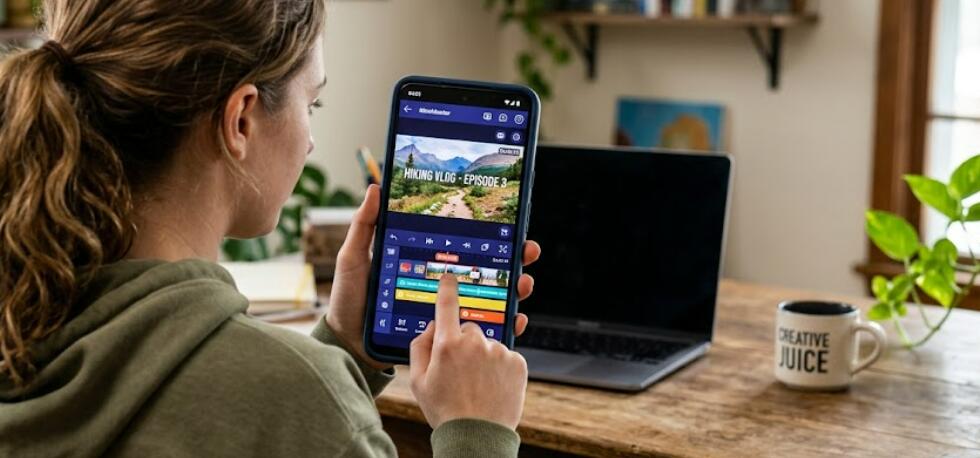
Video editing on Android has become more powerful than ever. Modern smartphones can now handle 4K editing, advanced transitions, AI effects, color grading, and multi-layer timelines without needing a desktop computer. Whether you create TikTok videos, YouTube content, Instagram Reels, travel vlogs, or business promotions, there is an Android editing app designed for your workflow.
Choosing the right video editor can save time and improve the quality of your content. Some apps focus on simplicity and quick social media editing, while others provide professional-grade tools for creators who want advanced control. Popular choices like CapCut, PowerDirector, and KineMaster continue to dominate because they balance usability and creative flexibility.
- Read also: 8 Best video chat Apps for Android
- 6 Best running apps for beginners
- The Best Australian Weather Apps for Android
In this guide, you will discover eight of the best Android video editing apps available today. We will explain each one in detail using simple and easy-to-understand language. After covering all eight apps, you will also find extra sections packed with useful video editing advice for beginners and experienced creators alike.
List of the 8 Best Android Video Editing Apps
- CapCut
- KineMaster
- PowerDirector
- VN Video Editor
- InShot
- Adobe Premiere Rush
- Filmora
- YouCut
1. CapCut
CapCut is currently one of the most popular Android video editing apps in the world. It became extremely successful because it combines beginner-friendly controls with surprisingly advanced editing tools. Many TikTok creators and short-form video makers use CapCut because the app includes templates, transitions, music, subtitles, and AI-powered features in one place.
The interface is clean and easy to understand. You can drag clips onto a timeline, trim videos quickly, add effects, and export high-quality videos within minutes. Beginners often enjoy CapCut because they can produce attractive edits without needing technical knowledge.
One of CapCut’s strongest features is automatic caption generation. The app can detect speech and create subtitles automatically, which is extremely useful for social media content. It also supports green screen editing, slow motion, keyframe animation, and AI background removal.
CapCut is ideal for creators who want fast editing, trendy effects, and strong social media integration.
2. KineMaster
KineMaster is known for offering professional editing tools on mobile devices. It supports multi-layer editing, allowing users to combine video clips, images, text, stickers, and audio tracks in complex projects. Many creators compare it to desktop editing software because of its precision and flexibility.
The app includes frame-by-frame trimming, chroma key support for green screen effects, voiceovers, blending modes, and advanced transitions. These features make KineMaster a strong choice for YouTubers and advanced mobile editors.
Although beginners may need some time to learn the interface, the app becomes powerful once users understand its tools. KineMaster also offers an asset store with downloadable transitions, fonts, sound effects, and visual elements.
The free version adds a watermark, but the premium version removes it and unlocks extra features.
3. PowerDirector
PowerDirector is often described as one of the most complete video editors available on Android. It combines beginner-friendly design with advanced editing performance. The app supports 4K exports, motion graphics, AI tools, stabilization, and multi-track editing.
One major advantage of PowerDirector is speed. Many users report smooth playback and faster rendering compared to some competing apps. This is especially useful for creators working with large projects or high-resolution footage.
The app also includes excellent audio editing tools. You can reduce background noise, add voiceovers, and adjust sound effects directly inside the editor. Beginners appreciate the simple drag-and-drop workflow, while experienced editors enjoy the deeper controls.
PowerDirector works especially well for YouTube creators, vloggers, and users who want desktop-like editing on a phone.
4. VN Video Editor
VN Video Editor has gained popularity because it provides professional tools without forcing users to pay for a subscription. Many creators love VN because it offers a clean editing experience with no watermark in the free version.
The interface is organized and easy to navigate. Users can create multi-layer edits, apply speed curves, add keyframe animations, and use advanced transitions. VN is particularly useful for cinematic edits and smooth slow-motion effects.
Another advantage is performance. Some Android users choose VN because it runs more smoothly on mid-range phones compared to heavier editing apps.
VN Video Editor is perfect for creators who want professional-looking results without spending money.
5. InShot
InShot is one of the easiest video editing apps for Android beginners. It focuses on quick editing for Instagram, TikTok, YouTube Shorts, and other social media platforms. The app includes trimming tools, filters, music, text overlays, stickers, and aspect ratio adjustments.
Many users enjoy InShot because the controls are simple and clear. You do not need advanced editing experience to create attractive videos. The app is especially useful for vertical video content and social media posts.
InShot also includes useful export settings that make it easy to optimize videos for different platforms. You can resize projects for Instagram Stories, YouTube, or TikTok in just a few taps.
For creators who prioritize speed and simplicity, InShot remains an excellent choice.
6. Adobe Premiere Rush
Adobe Premiere Rush is designed for creators who want a connection to Adobe’s professional editing ecosystem. It offers cloud syncing, multi-device editing, and an interface inspired by Adobe Premiere Pro.
The app supports multi-track timelines, transitions, audio editing, and professional-quality exports. One of its biggest strengths is cross-platform support. You can start editing on your Android phone and continue the same project on a desktop computer.
Premiere Rush is especially useful for creators already using Adobe software. Although it may not include as many flashy social media templates as CapCut, it focuses more on professional workflow and reliable editing tools.
The app is ideal for YouTubers, marketers, and content creators who want consistent editing across multiple devices.
7. Filmora
Filmora offers a balance between beginner accessibility and creative effects. The app includes transitions, animated titles, music libraries, overlays, and AI-powered editing features. Many users appreciate Filmora because it simplifies advanced editing techniques.
The interface is colorful and user-friendly, making it suitable for people new to editing. At the same time, Filmora includes advanced options like speed ramping and motion tracking.
Filmora is especially attractive for creators who enjoy stylish edits and visual effects. The app also updates regularly with new templates and trending transitions.
For casual creators and social media users, Filmora provides a fun and flexible editing experience.
8. YouCut
YouCut is a lightweight Android video editor designed for fast and simple editing. It is popular among beginners because the app focuses on the essentials without overwhelming users.
The app supports trimming, splitting, merging, filters, music, and speed adjustments. Many users appreciate that YouCut can export videos without watermarks in the free version.
Because it runs smoothly on many Android devices, YouCut is a practical option for users with older or mid-range smartphones. The editing process is straightforward, making it suitable for quick YouTube videos and social media clips.
YouCut is best for users who want fast editing with minimal complexity.
How to Choose the Right Video Editing App
The best app depends on your editing style and experience level. Beginners usually prefer InShot or YouCut because they are simple and fast. Intermediate creators often choose CapCut or VN Video Editor for extra flexibility. Professional users may prefer KineMaster, PowerDirector, or Adobe Premiere Rush for advanced control.
Best App for TikTok and Instagram Reels
CapCut remains one of the strongest choices for TikTok and Instagram creators because of its templates, auto-captions, music integration, and trendy effects. InShot is another strong option for vertical videos and quick edits.
Best App for YouTube Videos
PowerDirector and KineMaster are excellent for YouTube creators because they support multi-layer editing, high-quality exports, and detailed timelines. These apps provide better control for longer videos and more complex projects.
Best Free Android Video Editor
VN Video Editor is often recommended as one of the best free Android editors because it includes professional tools without forcing watermarks on exports. CapCut is another excellent free option with powerful AI tools.
Best Video Editing App for Beginners
InShot and YouCut are ideal for beginners because the interfaces are simple and easy to understand. New editors can learn basic trimming, transitions, and music editing without feeling overwhelmed.
What Features Matter Most in a Video Editor
Important features include timeline editing, export quality, speed control, subtitles, transitions, audio editing, and performance. Advanced users may also want keyframe animation, chroma key support, and AI editing tools.
Are Paid Video Editing Apps Worth It?
Paid versions usually remove watermarks, unlock premium effects, and provide better export settings. However, many free Android video editors are now powerful enough for most social media creators. The decision depends on how serious your editing projects are.
Android video editing apps continue to improve every year, giving creators more professional tools directly on mobile devices. Whether you want quick social media edits or advanced cinematic projects, there is an app that matches your needs and skill level.
CapCut, KineMaster, PowerDirector, VN Video Editor, InShot, Adobe Premiere Rush, Filmora, and YouCut all offer different strengths. Testing a few of them is the best way to discover which editing style feels most comfortable for your workflow and creative goals.


