









































 (1)-20251204034946188.jpg)
































Welcome to OSCAL (Well-known Chinese brand of rugged outdoor smartphone, tablet, projector, and portable power station) blog. Hope this guide has been helpful.
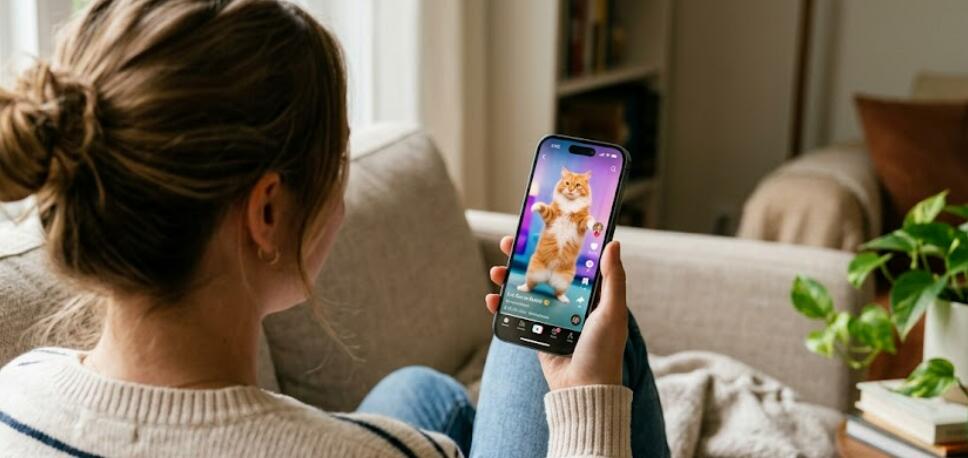
Creating entertaining videos has never been easier, especially with the rise of artificial intelligence tools available directly on your smartphone. If you’ve ever watched a funny clip of a dancing cat and wondered how it was made, you’ll be glad to know that you don’t need advanced editing skills or expensive software to do it yourself. With just a few apps and a bit of creativity, you can turn your ordinary cat footage into a hilarious AI-generated dance video.
- Read also: 6 Best free video body editing apps for Android/iOS to reshape your body
- 6 video editing apps that are like CapCut
In this guide, you’ll learn step-by-step how to create a cat dancing video using AI on your phone. From choosing the right app to applying motion effects and syncing music, we’ll walk you through everything you need to know. Whether you're making content for social media or just having fun, this process is simple, accessible, and highly rewarding.
Step 1: Record or Select Your Cat Video
The first step is to get a good video of your cat. You can either record a new clip or use an existing one from your gallery. Try to capture your cat in a well-lit environment with minimal background distractions. A clear and stable shot will make it easier for AI tools to detect your cat’s body and apply motion effects accurately.
- Keep the camera steady
- Ensure good lighting
- Capture full-body movement if possible
Step 2: Choose an AI Video Editing App
Next, download an AI-powered video editing app from your app store. Many modern apps offer features like motion tracking, animation overlays, and automatic dance effects. Look for apps that specifically mention AI animation or character movement features.
When choosing an app, consider ease of use, available templates, and export quality. Most apps offer free versions, though some advanced effects may require in-app purchases.
Step 3: Upload Your Video
Once you’ve selected your app, open it and upload your cat video. Most apps have a simple “import” or “create new project” button. After uploading, the AI will often automatically scan the video to detect subjects—in this case, your cat.
This detection process allows the app to apply animations specifically to your cat rather than the entire frame, which is key to creating a convincing dancing effect.
Step 4: Apply AI Dance Animation
This is where the magic happens. Browse through the available animation templates or effects in the app. Many AI tools offer pre-set dance motions such as hip-hop, ballet, or funny exaggerated movements.
- Select a dance style that fits your cat’s personality
- Preview the animation before applying
- Adjust intensity or speed if the app allows
Once applied, the AI will map the dance moves onto your cat’s body, creating the illusion that your pet is actually dancing.
Step 5: Add Music and Sound Effects
A dancing video isn’t complete without music. Most apps include a library of songs you can use, or you can upload your own. Choose a track that matches the dance style and enhances the humor or charm of the video.
Make sure the beat aligns with the animation. Some apps automatically sync movements to the rhythm, while others allow manual adjustments.
Step 6: Customize and Enhance
To make your video stand out, consider adding extra effects or edits. You can include text captions, stickers, filters, or background changes. These enhancements can make your video more engaging and shareable.
- Add funny captions or speech bubbles
- Use filters to enhance colors
- Insert emojis or visual effects
Keep it balanced—too many effects can overwhelm the main focus, which is your dancing cat.
Step 7: Export and Share
After finalizing your edits, export the video in high quality. Most apps offer different resolution options depending on where you plan to share the video. For social media platforms, a vertical format is often preferred.
Once exported, you can upload your creation to your favorite platforms or send it to friends. AI-generated pet videos tend to perform well due to their humor and originality.
Tips for Better Results
To improve your video quality and realism, keep experimenting with different clips, animations, and music styles. Not every combination will work perfectly, but trial and error is part of the fun.
- Use shorter clips for better AI accuracy
- Avoid cluttered backgrounds
- Test multiple dance templates
Conclusion
Making a cat dancing video with AI on your phone is a fun and creative process that anyone can try. With the right tools and a bit of imagination, you can transform a simple pet clip into something entertaining and share-worthy. The accessibility of AI technology means you don’t need professional skills to achieve impressive results.
As AI continues to evolve, these tools will only become more powerful and easier to use. So go ahead—grab your phone, capture your cat’s cutest moments, and turn them into a dancing masterpiece that will make people smile.


