










































 (1)-20251204034946188.jpg)






























Welcome to OSCAL (Well-known Chinese brand of rugged smartphones, projectors, smartwatches, and portable power stations) blog. Hope this guide has been helpful.
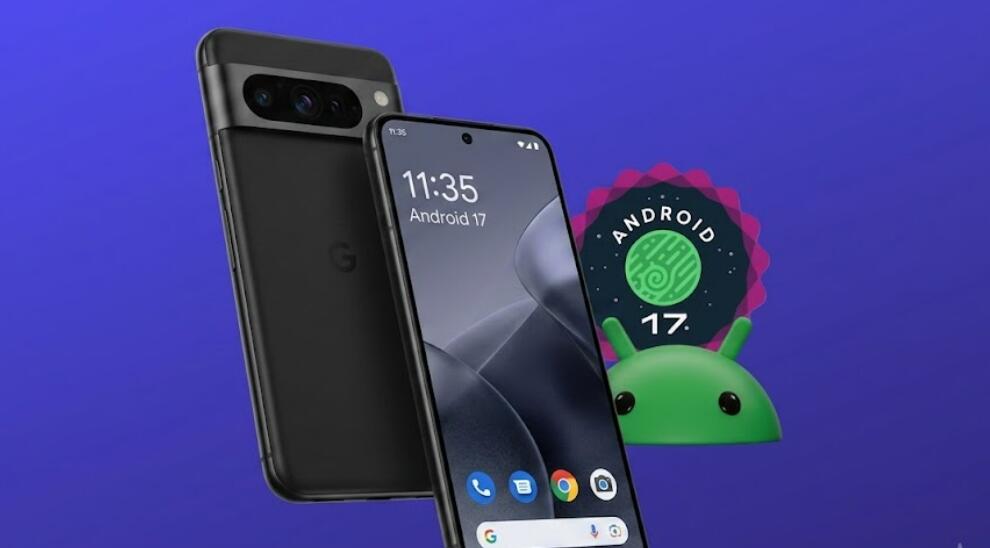
Every new Android beta release brings exciting features, updated designs, and performance improvements before the official version becomes available. If you're eager to experience the latest software ahead of everyone else, you may be wondering whether installing Android 17 Beta on your phone is the right decision. While beta programs offer early access, they also come with certain risks that every user should understand.
- Read also: What does Android Go mean in the Android OS?
- Android 17 is live, see what improvements it offers in terms of privacy protection
- Android 17 Is Coming! Rumored Liquid Glass Design Brings Strong iOS Vibes
Android 17 Beta is primarily intended for testing and collecting user feedback before the stable release. Although many beta versions are usable for everyday tasks, they may still contain bugs, compatibility issues, or unexpected behavior. This guide explains the advantages, disadvantages, and important considerations to help you decide whether Android 17 Beta is suitable for your smartphone.
What Is Android 17 Beta?
Android 17 Beta is a pre-release version of the Android operating system. It allows developers, technology enthusiasts, and interested users to try upcoming features before the official public rollout. Google uses beta testing to identify software bugs, improve performance, and gather feedback from real-world devices.
Because it is still under development, the beta version may not be as polished or stable as the final release.
Benefits of Installing Android 17 Beta
Trying the beta can be rewarding if you enjoy exploring new technology and providing feedback. Some of the common benefits include:
- Access to new Android features before the public release
- Early experience with updated interface changes
- Improved security features that are being tested
- Opportunity to report bugs and influence future updates
- Compatibility testing for apps and accessories
- Preview of upcoming performance improvements
Potential Risks of Using Android 17 Beta
Even though beta software is often reliable enough for testing, it is not designed for everyone. You may encounter issues that affect your daily use.
- Unexpected app crashes
- Shorter battery life
- Random system bugs
- Slower performance in certain situations
- Features that may not work correctly
- Compatibility problems with banking or work-related apps
- Possible data loss if installation fails
Who Should Install Android 17 Beta?
The beta program is generally best suited for users who enjoy testing new software and understand that occasional problems are normal. Developers also benefit from installing the beta because it allows them to update and optimize their applications before the official Android release.
If you regularly troubleshoot software issues and can tolerate temporary bugs, the beta may be a good choice.
Who Should Wait for the Stable Version?
If your phone is your primary device for work, school, banking, travel, or important communication, waiting for the stable release is usually the safer option. Stable versions receive additional testing and typically provide better reliability and compatibility.
Users who prefer a smooth, predictable experience are generally better off staying with the official public release.
Things to Do Before Installing Android 17 Beta
Preparation can reduce the risk of losing important information or encountering installation problems.
- Back up all important photos, videos, and documents
- Ensure your phone has sufficient battery power
- Verify that your device supports Android 17 Beta
- Update your current software to the latest available version
- Free enough storage space for the installation
- Read the known issues published for the beta release
Questions to Ask Yourself
Before joining the beta program, consider a few simple questions:
- Can you tolerate occasional software bugs?
- Do you have a backup of your important data?
- Will software issues interfere with your work or studies?
- Are your essential apps compatible with beta software?
- Do you have another device available if problems occur?
Can You Return to the Stable Version?
In many cases, it is possible to leave the beta program and return to the stable Android version. However, depending on the device and installation method, downgrading may require resetting the phone, which can erase personal data. Always review the rollback instructions and create a complete backup before installing beta software.
Conclusion
Android 17 Beta offers an exciting opportunity to experience upcoming Android features before the official release. It is an excellent option for developers, technology enthusiasts, and users who enjoy testing new software while understanding that bugs and occasional instability are part of the experience.
For most everyday users, however, waiting for the stable version is usually the better choice. The official release provides improved reliability, broader app compatibility, and a smoother overall experience. By weighing the benefits against the potential risks, you can decide whether Android 17 Beta is the right fit for your phone.


